New Here - Remix Best Practices

SUPPORTER
Posts: 3
Joined: Jan 31, 2026
Hello there!
I just discovered this site last week and have to say that I love the concept.
I have a question about remixes and best practices...
I recently uploaded a remix where I took a drum track and added a bass and two guitars. I uploaded this completed mix. Is it preferred for me to do a mix after each instrument I add?
In other words, should I upload a mix of the drums and bass track? Then do a second upload of the mix of drums, bass and guitar 1? Then another, if desired, of drums, bass, Gtr1 and Gtr2?
I want to make sure I have the concept correct. I guess by doing them each separately, it gives others a chance to add to their ideas as well.
I am sure this has been covered over and over, but I was in a bit a hurry.
Do I have this right?
Thanks!
JB
I just discovered this site last week and have to say that I love the concept.
I have a question about remixes and best practices...
I recently uploaded a remix where I took a drum track and added a bass and two guitars. I uploaded this completed mix. Is it preferred for me to do a mix after each instrument I add?
In other words, should I upload a mix of the drums and bass track? Then do a second upload of the mix of drums, bass and guitar 1? Then another, if desired, of drums, bass, Gtr1 and Gtr2?
I want to make sure I have the concept correct. I guess by doing them each separately, it gives others a chance to add to their ideas as well.
I am sure this has been covered over and over, but I was in a bit a hurry.
Do I have this right?
Thanks!
JB
+1

SUPPORTER
Posts: 2145
Joined: Sep 27, 2014
Hi there JB, welcome! There is no absolute right way, you are free to upload your remix which ever way you like, as long as you label all the instruments correctly. Having said that, it is nice to upload separate mixes for the various instruments (even better with separate HD tracks), that would allow others to jump in and develop the track in a different way. Up to you though :). And most important, have fun doing it!
+3
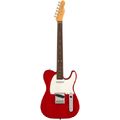
Fender AV II 63 TELE RW RED TRANS
Electric Guitar

$2,055
iThis widget links to Thomann, our affiliate partner. We may receive a commission when you purchase a product there.
Visit Shop
SUPPORTER
Posts: 3
Joined: Jan 31, 2026
TeeGee wrote:
Hi there JB, welcome! There is no absolute right way, you are free to upload your remix which ever way you like, as long as you label all the instruments correctly. Having said that, it is nice to upload separate mixes for the various instruments (even better with separate HD tracks), that would allow others to jump in and develop the track in a different way. Up to you though :). And most important, have fun doing it!
Hi there JB, welcome! There is no absolute right way, you are free to upload your remix which ever way you like, as long as you label all the instruments correctly. Having said that, it is nice to upload separate mixes for the various instruments (even better with separate HD tracks), that would allow others to jump in and develop the track in a different way. Up to you though :). And most important, have fun doing it!
I was looking into the HD Track. I assume this is the wav file for that instrument from your session? What is the purpose of the HD track?
SUPPORTER
Posts: 2145
Joined: Sep 27, 2014
The HD track is a track in HD quality that has only your instrument on it. That way if everyone does it, you can make better mixes. Tracks that have an HD single track have a better chance to get remixes. Have a look in our "how to" sections, there is a lot of useful info available https://www.wikiloops.com/knowledge/creating_and_uploading_a_remix.php
+1
SUPPORTER
Posts: 3
Joined: Jan 31, 2026
Thank you! And thank you for the link. The site is a bit overwhelming for a little while. Sometimes it is just easier to just ask a question. I am going to have some fun.
+1
SUPPORTER
Posts: 2145
Joined: Sep 27, 2014
Just take your time, there is indeed a lot of information, but you are welcome to ask any time!
+2

Member
Posts: 1
Joined: Nov 17, 2025
Hi from Rome Italy, i'm new u love wiki leaks! 🎸
+2
SUPPORTER
Posts: 2145
Joined: Sep 27, 2014
Andrea 2025 wrote:
Hi from Rome Italy, i'm new u love wiki leaks! 🎸
Hi from Rome Italy, i'm new u love wiki leaks! 🎸
Loops, no leaks here. All tight :D Welcome Andrea!!
+2
Fender AV II 63 TELE RW RED TRANS
Electric Guitar
$2,055
iThis widget links to Thomann, our affiliate partner. We may receive a commission when you purchase a product there.
Visit Shop

SUPPORTER
Posts: 1
Joined: Jan 13, 2026
Bonjour,
J'ai fait une énorme erreur 😌
J'ai publié un morceau sous un mauvais numéro....
Comme je m'en suis rendu compte trop tard, edt ce qu'il est possible de pouvoir mettre la bonne piste ou je suis obligée de supprimer et reposter ?
https://www.fr.wikiloops.com/backingtrack-jam-333645
J'ai fait une énorme erreur 😌
J'ai publié un morceau sous un mauvais numéro....
Comme je m'en suis rendu compte trop tard, edt ce qu'il est possible de pouvoir mettre la bonne piste ou je suis obligée de supprimer et reposter ?
https://www.fr.wikiloops.com/backingtrack-jam-333645

SUPPORTER
Posts: 129
Joined: Jul 23, 2013
As far as I know, you can't modify the jam number assigned by the system; you can only upload the jam to the correct location. In my humble opinion, if the authors and administrator allow it, you could leave the old one, mentioning the error, but if not, you have to delete it using the red flag at the end of the playback track.
+1
wikiloops online jamsessions are brought to you with friendly
support by:

Cheerz to the non-commercial site for music-lovers!
will_C